

Switching repos used to mean rebuilding my whole terminal layout. Termul keeps each project’s shells exactly where I left them.
AC
Alex ChenStaff Engineer, Platform team
Termul treats workspaces as first-class citizens. Organize terminals by project with persistent sessions, snapshots, and a clean tabbed interface.
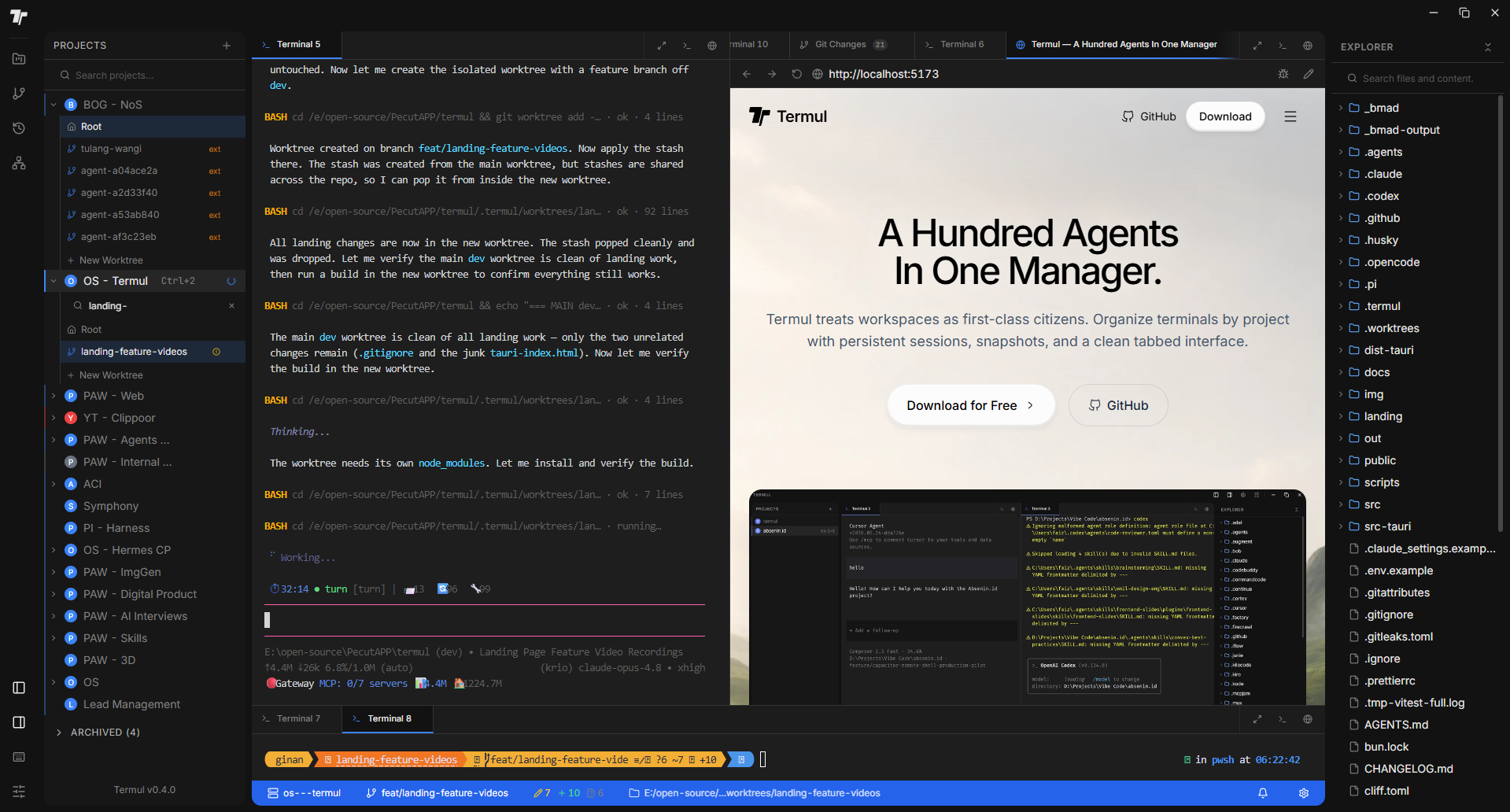
Terminals, editors, browsers, and annotations — organized by project.
Stop hunting through a pile of scattered OS windows to find the right shell. Keep every session in one clean tab bar, reorder by dragging, and switch context in a single click.
Switching between PowerShell, WSL, and Git Bash usually means remembering paths and editing configs. Termul detects your installed shells for you, so the right environment is always one click away.
Juggling three projects should not mean three sets of mismatched terminals. Termul groups every session, directory, and setting under the project it belongs to, so switching projects restores the exact context you left.
Alt-tabbing between a terminal, your code, and a browser breaks concentration. Split your workspace into resizable panes and keep everything you need to see in view at once.
Writing docs in one app and previewing in another breaks your flow. Termul renders markdown live as you type — headings, lists, tables, and Mermaid diagrams take shape side by side with your text, no save-and-refresh loop.
Reporting a UI bug usually means screenshots, arrows, and a long chat thread. Browse inside your workspace, mark up exactly what is wrong, and export a structured report your team can act on.
Memorizing git commands for routine work slows everyone down. Stage, commit, amend, and push from a visual panel, and read your branch history as a graph without leaving the terminal.
Checking out a second branch normally means stashing work or cloning the repo again. Open a worktree as its own sub-project and work on multiple branches in parallel, each with isolated terminals.
Reaching for the mouse to switch projects or run an action adds up fast. Open the command palette and jump anywhere — project-first ordering and pinning keep what you use most at your fingertips.
Beyond the headline features, Termul is packed with the everyday conveniences that keep you in flow.
Connect to remote machines and manage files over SFTP without leaving your workspace.
Browse your project tree, create and rename inline, and see changes the moment they hit disk.
Search across your whole project at native speed, powered by a bundled ripgrep sidecar.
Capture a full workspace layout and restore it later, so experiments never cost you your setup.
Look back across per-project and aggregate command history to find what you ran and when.
Get a desktop notification and a tab highlight when a long-running command finishes.
Record your own shortcuts and trigger app actions consistently from any focused surface.
Stay current with signed auto-updates that download in the background and install on confirm.
A GPU-accelerated renderer keeps the terminal smooth, with an automatic DOM fallback.
Per-project environment variables are stored securely and redacted when persisted.
Native builds for Windows, macOS, and Linux from one Tauri 2 codebase, signed and packaged.
Color-code projects and tune terminal and UI preferences to match how you like to work.
Teams use Termul to keep projects, shells, and context in one workspace—without rebuilding their setup every time they switch repos.
Switching repos used to mean rebuilding my whole terminal layout. Termul keeps each project’s shells exactly where I left them.
Split panes plus a built-in browser for docs means I rarely alt-tab out of one window during deep work.
Session restore after a reboot is the feature I didn’t know I needed until I lost three terminals mid-deploy.
Project-scoped env vars land in every new shell automatically. No more copy-pasting from a stale .env.
The tabbed workspace feels closer to an IDE than a traditional terminal—and that’s a compliment.
Switching repos used to mean rebuilding my whole terminal layout. Termul keeps each project’s shells exactly where I left them.
Split panes plus a built-in browser for docs means I rarely alt-tab out of one window during deep work.
Session restore after a reboot is the feature I didn’t know I needed until I lost three terminals mid-deploy.
Project-scoped env vars land in every new shell automatically. No more copy-pasting from a stale .env.
The tabbed workspace feels closer to an IDE than a traditional terminal—and that’s a compliment.
Annotations in the embedded browser saved our team hours when onboarding people to internal dashboards.
Cross-platform parity matters for us. Termul on macOS and Windows finally looks and behaves the same.
I run five services locally; named workspaces beat a folder of random iTerm profiles any day.
Lightweight Tauri app, native feel, and it doesn’t fight my GPU like some Electron terminals do.
Termul became the default launcher for every repo I touch. One place for shells, browser, and context.
Annotations in the embedded browser saved our team hours when onboarding people to internal dashboards.
Cross-platform parity matters for us. Termul on macOS and Windows finally looks and behaves the same.
I run five services locally; named workspaces beat a folder of random iTerm profiles any day.
Lightweight Tauri app, native feel, and it doesn’t fight my GPU like some Electron terminals do.
Termul became the default launcher for every repo I touch. One place for shells, browser, and context.